

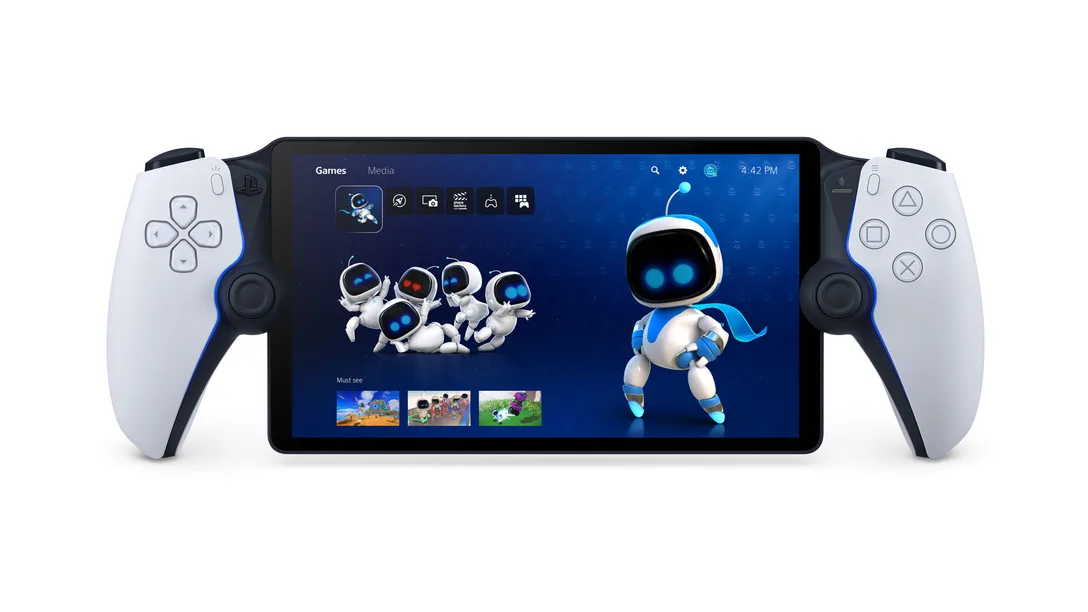
Sony heeft een nieuwe firmware update voor de PlayStation Portal uitgebracht. Deze update wordt vandaag wereldwijd uitgerold en brengt een aantal nieuwe features naar het platform gericht op toegankelijkheid, een betere ervaring met cloud gaming en meer.
Via het PlayStation Blog heeft Sony een uitgebreid overzicht vrijgegeven van alle nieuwe features en details, dat we hieronder hebben geplaatst.
Sort
You can now sort games in the Cloud Streaming (Beta) catalog screen. There will be a new sort icon added to the top left corner, allowing you to sort games by: Recently added to PS Plus (default), Name, and Release date.
Capture gameplay
The Create button on your PS Portal will now be enabled during a Cloud Streaming (Beta) session. Here is what you can do:
- Press once: Display the create menu
- Press and hold: Take a screenshot
- Press twice: Start/finish recording a video clip**
Images and videos captured during a streaming session will be automatically uploaded to the cloud server, which can be accessed from the PlayStation App by selecting [Library] > [Captures]. Your captures will be stored for 14 days after they were created.
Queue
You can now wait for your turn to play when the streaming server is full. The estimated wait time will be displayed on screen, and the game session will automatically start as soon as it’s your turn.
Pause
During a Cloud Streaming (Beta) game session, gameplay will now pause in the following situations:
- Gameplay will pause when you open the PS Portal quick menu. You can open the quick menu by pressing the PS button, swiping left from the top right corner of your screen, or tapping the quick menu icon from the status bar.
- When you press the power button once, PS Portal will be put into rest mode and the game will be paused. You can un-pause and get back to your game play by pressing the power button again. If PS Portal remains in rest mode for more than 15 seconds, the cloud streaming session will be disconnected.
- Gameplay will also pause when a system error message is displayed at the bottom of the screen.
Note that the pause feature will not be supported in some cases, such as during an online multiplay session.
Notification of inactivity
You will now receive a system notification when your streaming session is about to close due to inactivity of over 10 minutes.
User feedback screen
We have added a user feedback screen at the end of the streaming sessions to rate the quality of your streaming experience. This will help us identify what went well or could be improved, as we continue to enhance the quality of our service.
Sony blijft werken aan de ontwikkeling van het platform, waarbij feedback vanuit de gebruikers erg belangrijk is. Verwacht dus op termijn meer updates met andere verbeteringen en aanpassingen.
goede dingen benieuwd of ze straks ook een opvolger aankondigen
Als we nu eens de optie voor offline konden krijgen. Dan synct hij thuis maar weer met de rest 😉
@pOZORjED: is dit een grap of ben je nou serieus? Ik kan het echt niet meer zeggen….
Ga hem weer aanschaffen
Ik heb er 1, vond het zo ontzettend tegenvallen.
Waarom kunnen niet je PS5 aanzetten mer de portal, waarom moet de PS5 in godsnaam in slaapstand staab?
Aanbod games is echt om te janken tov de PS Plus / Premium van de P5 zelf.
Als er niks veranderd dan gaat het apparaat naar afdeling te koop…
@pOZORjED: Daar heeft het de hardware niet voor. Daarom is ie ook zo goedkoop.
@Anoniem-6415: Haha. Voortaan beter lezen misschien. Je hebt hem zelf gekocht, wetende dat de PS5 in slaapstand moet. Dus ook dat er niemand anders op kan. Dat is de essentie van hoe heel dat ding werkt, je PS5 is het tussenstation dus met jouw account actief/aan. Ook in standy in dit geval.
Daarnaast snap je blijkbaar ook niet dat als je hem juist gebruikt je gewoon haast je volledige library hebt. Alleen als je niet op hetzelfde netwerk als je ps5 zit en dus puur aan het streamen bent, zijn er beperkingen.
Als je niet weet wat je koopt zal het snel tegenvallen idd.
Die van mij staat alweer stof te happen. Werkt voor geen meter als er geen goede wifi verbinding is en de hotspot op je eigen mobiel is een lachertje.
Heerlijk apparaat voor thuis op de bank of bed.
Lekker relaxt Cities Skylines en dan filmpje streamen op tv.
Laatst ook mee gehad naar een VD Valk. Werkte prima 🙂
Zou fijn zijn als shareplay ook kan op de portal. Nu alleen nog gedeeld scherm. Beetje jammer 🙁